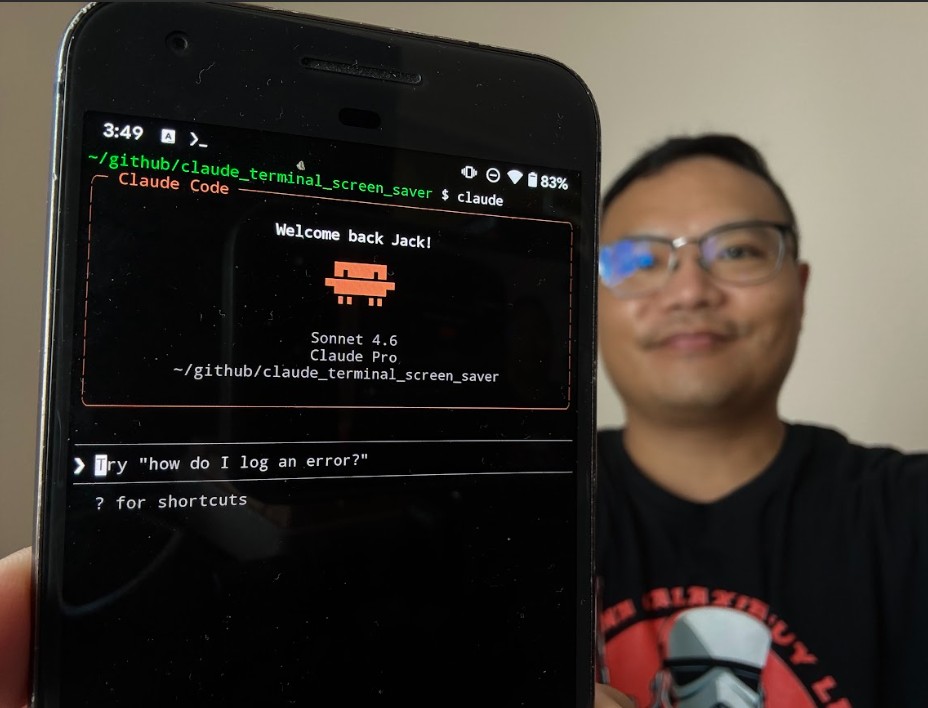
Running Claude Code on Android with Termux
Running Claude Code on Android with Termux
Prerequisites
- Android device with Termux installed
- Node.js 18+ (install with
pkg install nodejs) - npm (comes with Node.js)
Installation Steps
1. Install Claude Code via npm
npm install -g @anthropic-ai/claude-code@2.1.112Note: Use v2.1.112 specifically — newer versions switched to native binaries that don’t work on Android.
2. Authenticate Claude Code
claude loginFollow the link provided to authenticate with your Claude account.
3. Create or Clone a Project
git clone https://github.com/[your-repo]
cd [your-project]
Or create a new directory:
mkdir my-project
cd my-project
4. Start Claude Code
claudeRunning in the Background (Optional)
To keep Claude Code running after closing your terminal, use tmux:
tmux new -s claude
claude
To reconnect later:
tmux attach -t claudeTroubleshooting
Issue: npm: command not found
- Solution: Make sure Node.js is installed with
pkg install nodejs -y
Issue: Claude Code won’t start
- Solution: Ensure you’re using v2.1.112, not a newer version
Issue: Permission denied
- Solution: Some Termux installations need
pkg install nodejsto be re-run
Video Tutorial: (https://www.youtube.com/watch?v=TkYGDQhgwBA)
Questions? Check the comments on YouTube or open an issue on GitHub.